



Coolzino Casino Login and Registration
Every visit to our platform brings an interesting experience, but your first Coolzino login is especially memorable. Once you join our website as a registered player, you’ll get a welcome package that you can use for various activities. And finally, all games become available beyond demo mode, so you can try to find your favorites among more than 6,000 titles.


Coolzino Account Registration
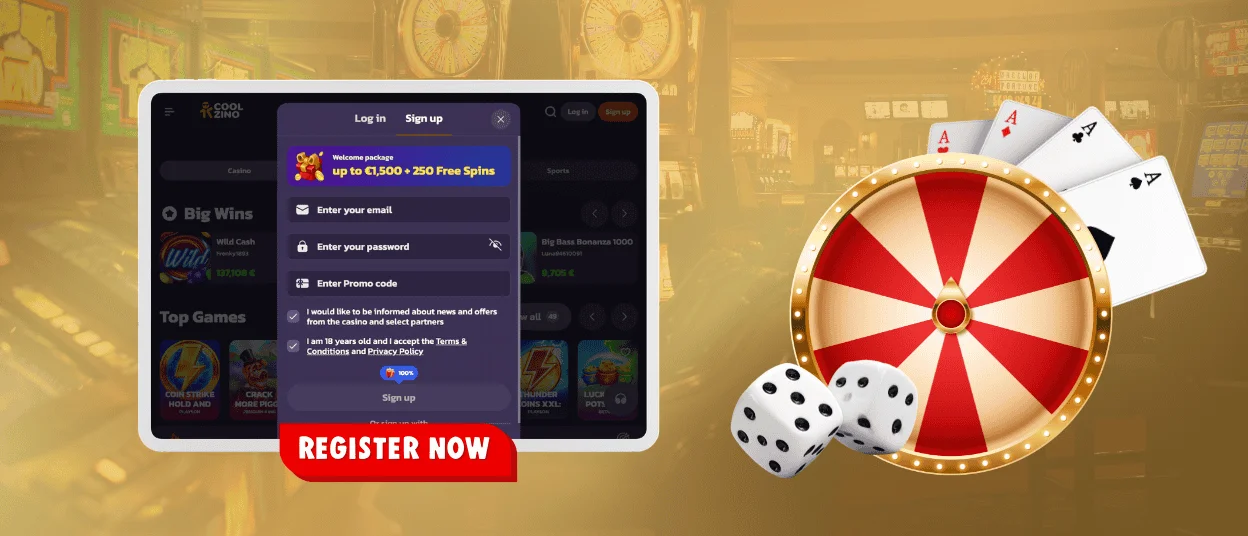
For all players, the registration at Coolzino Casino starts the same way: everyone clicks the Sign Up button and enters an email address and password. But the rest of this process depends on your situation. Here are the most common sign-up scenarios on our platform.
- Simple registration – This is the standard option. In this case, you only need to fill in two fields.
- Signing up with a promo code – Some new Cool Zino users already have this benefit. So, they can enter their promo code directly in the registration form and get additional bonuses.
- Invitation – With a referral link, the sign-up process is just as simple. Also, the friend who invited you receives rewards as part of our bonus program.
- Registration via PWA – You can choose the mobile format right away. For this option, you’ll need to install the app from our website first and then sign up within it.
- Transferring from another casino – If you already have gaming experience, especially VIP status, you can keep some of your privileges at Coolzino. After registering, submit the request and attach proof, such as screenshots of your player level or wager points.
It takes less than a minute to join Coolzino Casino. So whatever your situation, the process will be quick and easy.
How to Create an Account
You can start setting up your Cool Zino Casino profile as soon as you receive an email with a link. Don’t worry if it doesn’t arrive straight away – just give it a few seconds. Also, you can check your Spam folder or request another email.
One click on the link will automatically take you to your new Coolzino account. Here, you can update your personal information: enter your name, phone number and date of birth.
If you want to personalize your experience further, you can explore various sections – Wallet, Security and others. Each one lets you adjust the necessary settings and manage your preferences.
Login and Manage Coolzino Account
Before you get into our gaming area, you’ll need to enter your credentials in the Coolzino login form. A quick click on the Log In button will take you there. After opening our website, you’ll find a small user icon that connects you with your dashboard and all its key options:
- Profile page – This is where you’ll find your personal information. You can add your address, specify your gender or update other details. Your rating scale is also displayed here.
- Wallet – All transactions at Cool Zino Casino are handled through this section. Players can select their preferred currency, review limits and manage other settings.
- History – This page allows you to track your activity on our platform.
- Invite Friends section – If you want to participate in the referral program, you can do so through this option.
- Help Center – By clicking this button, you’ll be taken to the FAQ section, where you can find answers to common questions.
The dashboard also has a Log Out option. We recommend that you always use it. Thanks to this, your experience at Coolzino Casino will be completely safe.
Coolzino Password Recovery
The “Forgot password?” option can help you if you have any issues with your Coolzino login. But before using it, click the eye icon. This way, you can check the text that you’ve entered and make sure there are no typos.
If you’re still unsure about your Coolzino login details, request a password reset link. It will be sent directly to your email inbox. And in just 2 minutes, you’ll be back in your profile.
Quick Fixes for Account Access Issues
At Coolzino Casino, players regularly complete game missions. But sometimes even logging in can be a real challenge. Luckily, you can fix many of the errors on your screen on your own.
| Problem | Why It Happened | How to Fix It |
| “Wrong password” | Caps Lock is on or there’s an extra space at the end | Check your details and make sure your keyboard layout is correct |
| The Log in button doesn’t work | Some required fields are missing | Make sure you’ve confirmed your age and accepted our platform rules |
| The page freezes or keeps refreshing | Browser-related issues | Clear your cache and cookies (Ctrl+Shift+Del) |
| The email link is unavailable | It has expired | Request a new email |
| Password recovery doesn’t work | Your new password doesn’t meet the requirements | Use at least 6 characters, including letters, numbers and a special symbol |
| “Too many attempts” | You entered incorrect login details several times | Wait around 15 minutes and try again |
If you’re facing a more serious issue, such as an account lockout, contact our multilingual support team via live chat. Our experts can help you not only with Cool Zino login errors but also with other things like the verification process, bonus credits and much more.
FAQ
Where can I view my account login history?
Open the Security section in your menu. Here, you’ll find all the information about your Cool Zino Casino visits: browsers used, IP addresses and session times. If anything looks suspicious, you can end all active sessions on other devices.
Can I log in to Coolzino Casino via Google?
Yes, you can choose this option when registering. However, if you have already created a profile using the form on our website, Google login will not be available. In this case, our system will try to create a new account – and having multiple profiles from the same IP address is not allowed.
I saved my Coolzino login details in my browser. Am I more vulnerable to hacking now?
No. Modern browsers store passwords in encrypted form. Your credentials can only be stolen if your device is infected with malware.


